This post contains affiliate links. As an Amazon Associate we earn from qualifying purchases, at no extra cost to you. Read our disclosure.
Safety first: Prices are examples with an as-of date. Always confirm with your own vendors. Please read our editorial guidelines before you start.
Key takeaways
- Track the full cost of each vendor: base price, tax, service charge and tip on separate columns.
- Zola's 2026 survey found surprise costs averaged $3,314, and service charges often run 18 to 22 percent.
- One row per vendor, one tab for payments, and a due date on every balance.
- Let formulas add the totals so you only type numbers once.
- Check the sheet once a week for 10 minutes, and before every vendor payment.
In this post10 sections
- What a Wedding Budget Spreadsheet Has to Do
- What You Need Before You Start
- The 12 Columns of a Wedding Budget Spreadsheet
- How to Build a Wedding Budget Spreadsheet in 6 Steps
- Formulas to Copy Into Google Sheets or Excel
- Common Wedding Budget Spreadsheet Mistakes
- Variations: Google Sheets, Excel or a Printable
- Want It Done for You?
- Next Steps for Your Wedding Budget
- FAQ
What a Wedding Budget Spreadsheet Has to Do
Most free templates list categories and a single cost column. That shows what you planned to spend, but not what you owe, when it is due, or why the catering bill came in higher than the quote.
A good sheet answers three questions at a glance. How much will this wedding really cost? How much have we paid so far? What is due in the next 30 days?
The gap between a quote and the final bill is real. In Zola's 2026 wedding spend survey, 75 percent of couples hit at least one unexpected fee, and hidden costs averaged $3,314. Service charges and gratuities alone often add 18 to 22 percent to food and drink.

What You Need Before You Start
Gather these first so you can fill the sheet in one sitting instead of three.
Gather before you build

The 12 Columns of a Wedding Budget Spreadsheet
Put one vendor or cost on each row. These are the columns, in order, from A to L. The two formula columns do the adding for you.
| Column | What goes in it | Catering example |
|---|---|---|
| A. Category | Venue, catering, photos, flowers and so on | Catering |
| B. Vendor | Business name and contact | Your caterer |
| C. Budget | What you planned to spend on this line | $7,500 |
| D. Base quote | The price on the quote before extras | $6,000 (80 guests at $75) |
| E. Service charge and fees | Service charge, delivery, setup, cake cutting | $1,200 (20%) |
| F. Tax | Sales tax, at your local rate | $504 (7% on $7,200, example rate) |
| G. Tip | Gratuity you plan to hand out on the day | $300 |
| H. Actual total | Formula: D + E + F + G | $8,004 |
| I. Paid to date | Formula: sum of payments to this vendor | $2,000 deposit |
| J. Balance | Formula: H minus I | $6,004 |
| K. Next due date | When the next payment is due | 30 days before the wedding |
| L. Status and notes | Booked, deposit paid, paid in full, plus contract notes | Final count due 2 weeks out |
Look at the catering row. The base quote was $6,000, but the real total is $8,004, about a third more. That is the gap most couples miss, and it is why columns E to G exist.
Ask each vendor whether tax applies to the service charge too. Rules differ by state, and the answer can move the total by a few hundred dollars.

How to Build a Wedding Budget Spreadsheet in 6 Steps
-
Step 1: Set the total and the buffer
Type your total budget at the top of the sheet. Then set aside 7 to 10 percent as a buffer row before you split anything. On $25,000, an 8 percent buffer is $2,000 you don't assign to any vendor.
-
Step 2: Add your categories
List every category on its own row, even ones you think will cost nothing. Our wedding budget calculator gives a starting split across 14 categories you can copy into column C.
-
Step 3: Enter every quote line by line
Copy the base price into column D. Then read the fine print and put each extra in its own place: service charge and fees in E, tax in F, tip in G. If a quote doesn't list tax or fees, ask the vendor for them in writing.
-
Step 4: Make a Payments tab
Add a second tab with one row per payment: date, vendor, amount and method. Column I on the main tab then adds up every payment for that vendor, so the balance updates by itself.
-
Step 5: Add due dates and a 30-day view
Put the next due date for every balance in column K. A count of payments due in the next 30 days at the top of the sheet means nothing sneaks up on you. Our wedding payment schedule guide shows when most vendors expect deposits and final payments.
-
Step 6: Review it every week
Set a 10-minute check once a week. Update payments, mark what is booked, and move money between lines when one goes over. Take it from another category, not from the buffer, until the last month.






Formulas to Copy Into Google Sheets or Excel
These work the same in Google Sheets and Excel. They assume row 2 is your first vendor and the Payments tab has the vendor name in column B and the amount in column D.
| Column | Formula | What it does |
|---|---|---|
| H. Actual total | =SUM(D2:G2) | Adds base, fees, tax and tip |
| I. Paid to date | =SUMIF(Payments!B:B,B2,Payments!D:D) | Adds every payment to this vendor |
| J. Balance | =H2-I2 | What you still owe |
| Over or under | =C2-H2 | Negative means this line is over budget |
| Due in 30 days | =COUNTIFS(K:K,">="&TODAY(),K:K,"<="&(TODAY()+30)) | How many payments are coming up |
| Cost per guest | =SUM(H:H)/guest count cell | Your real cost per guest |
For a quick warning, add conditional formatting to column J: turn the cell blush when the balance is above zero and the due date is within 14 days. Both apps have this under Format.

Common Wedding Budget Spreadsheet Mistakes
Check your sheet for these
Zola's survey named postage and alterations (29 percent of couples each), trials (21 percent) and service charges (17 percent) as the most common surprises. Give each one a row now, even at $0. See the full list in our hidden wedding costs guide.

Variations: Google Sheets, Excel or a Printable
What we like
- Google Sheets: free, shares live with a partner or parent, works on a phone
- Excel: works offline, handles big sheets well, familiar if you use it for work
- Printable: easy to carry to vendor meetings, no screen needed
Keep in mind
- Google Sheets: needs a Google account, and you have to manage who can edit
- Excel: sharing means sending files, so versions can split
- Printable: no formulas, so every total is done by hand
Many couples use both: a live sheet for the math, and a printed page for meetings. Our free Wedding Budget Starter comes as a spreadsheet and a printable for that reason.

Helpful, not required
-
Accordion file folder
Typically $12 to $25
One pocket per vendor for contracts and receipts.
Check price on Amazon for Accordion file folder -
Wedding planner binder with tabs
Typically $15 to $35
Holds the printed budget pages for vendor meetings.
Check price on Amazon for Wedding planner binder with tabs -
Desktop calculator
Typically $8 to $15
For checking quotes on paper before they go in the sheet.
Check price on Amazon for Desktop calculator
Want It Done for You?
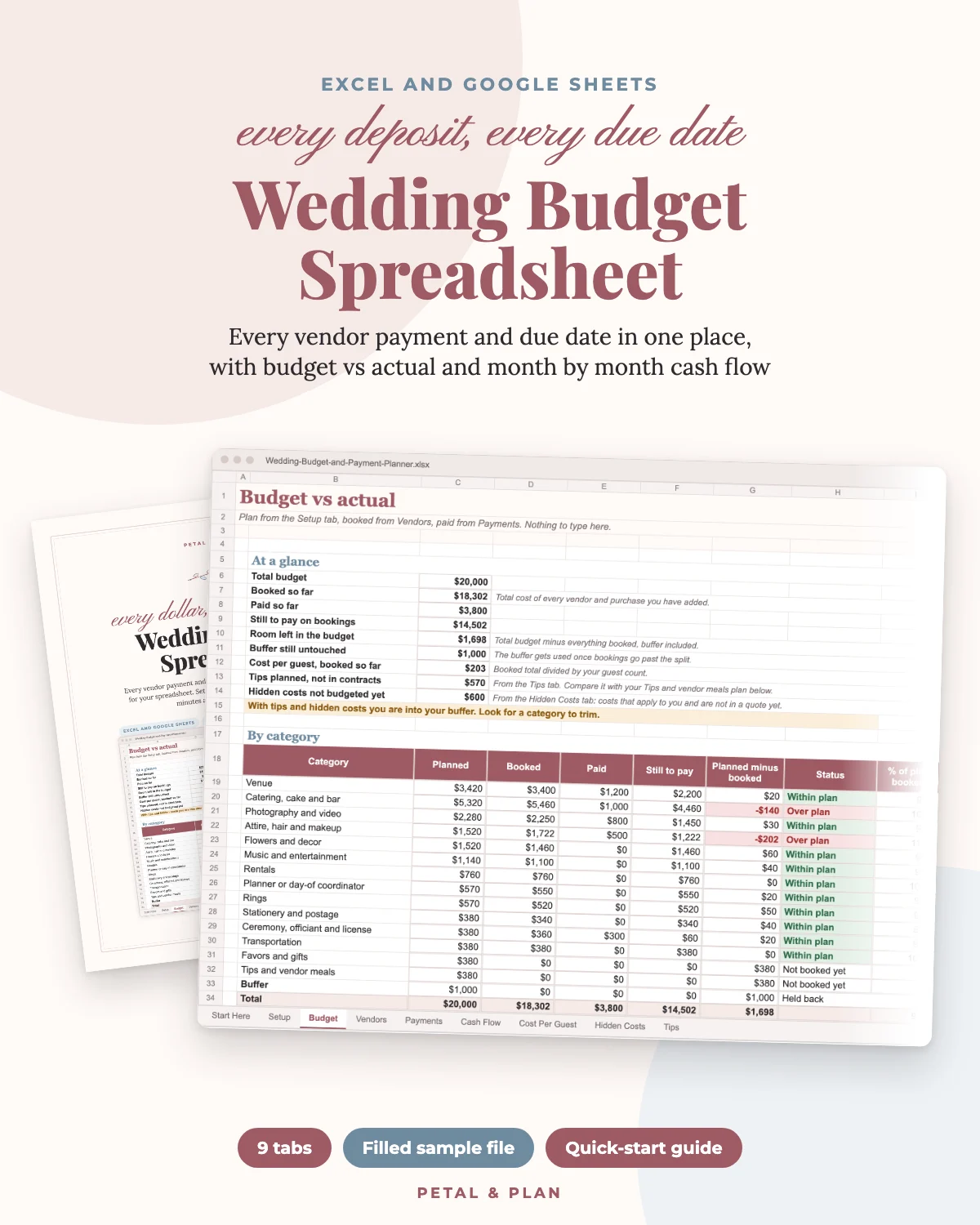
If you'd rather skip the build, our Wedding Budget & Payment Planner has these columns already set up. It has 9 tabs, including a vendor tracker with base, tax, fees and service charge, a payment schedule for up to 120 payments, an 18-month cash flow view and cost per guest at 5 guest counts.
It works in Excel 2016 or later and Google Sheets (not Apple Numbers), and comes with a filled sample file and a 6-page PDF guide. Code PETAL20 takes 20 percent off.
Next Steps for Your Wedding Budget
Once your sheet is built, check that your total fits your guest count. Our $30,000 wedding budget breakdown shows a full line-by-line example for 100 guests.
Then put the deadlines from your sheet into your 12-month wedding planning checklist so payments and tasks live in one plan.
Frequently asked questions
What should a wedding budget spreadsheet include?
One row per vendor with the category, vendor, budget, base quote, service charge and fees, tax, tip, actual total, paid to date, balance, next due date and notes. Add a separate tab for payments.
Is a Google Sheets or Excel wedding budget spreadsheet better?
Google Sheets is free and easy to share with a partner or parent. Excel is better offline. The formulas in this guide work in both.
How much buffer should a wedding budget have?
Many planners suggest 7 to 10 percent. Zola's 2026 survey found surprise costs averaged $3,314, about 9 percent of the average wedding.
Should tips go in the wedding budget?
Yes. Give tips their own column so they are planned, not paid from the buffer. Check each contract first, since some already include a gratuity.
Is there a free wedding budget template?
Yes. Our free Wedding Budget Starter is a spreadsheet and printable that splits your total by category and shows cost per guest.
Save it for later
Pin this to your Wedding Budget & Costs board so it's there when you need it.
Save to Pinterest